Skip to content

MemoBell for Chrome

Your new tab, finally calm.

MemoBell replaces your new tab page with a quiet workspace for tasks, reminders and notes. Everything stays in your browser.

Email me when it's liveComing soon to the Chrome Web Store
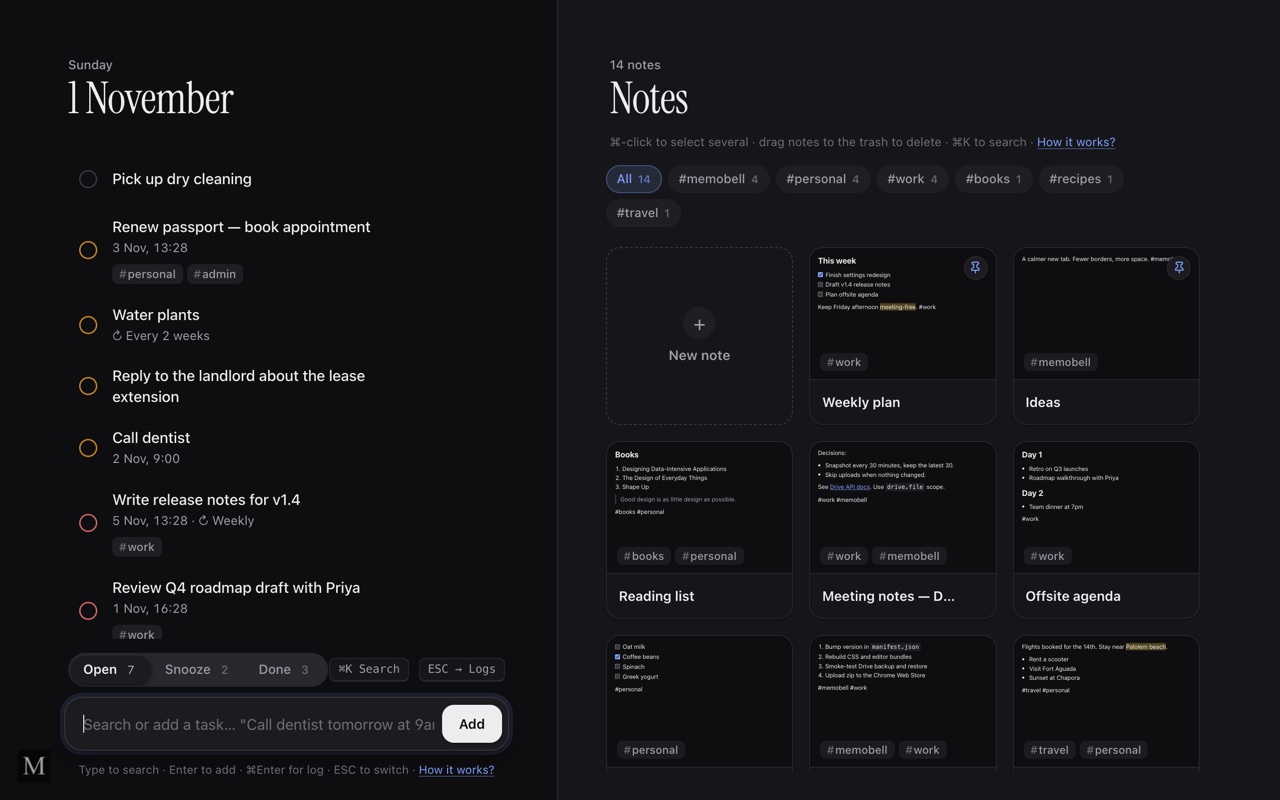
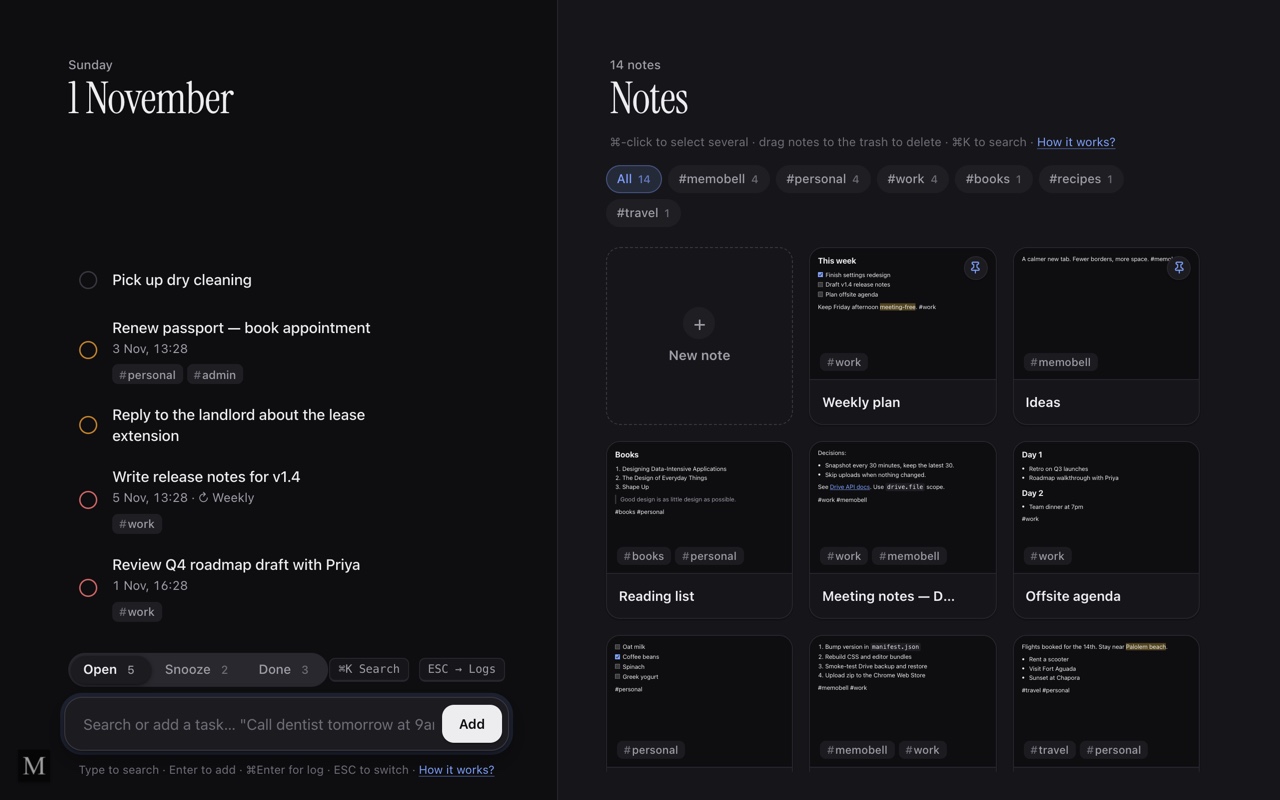
MemoBell's new tab page: today's tasks on the left and a grid of tagged notes on the right.

Tasks & reminders

Just type. Reminders set themselves.

Write a task the way you'd say it, and MemoBell picks up the date, the time and how often it repeats. A browser notification arrives when it's due, and you can snooze it if now isn't the moment.

  • Call dentist tomorrow at 9am
  • Pay bill in 2 hours
  • Standup every week
MemoBell's task list with dates and repeat schedules, next to a grid of notes.

Notes

Notes with tags and pins.

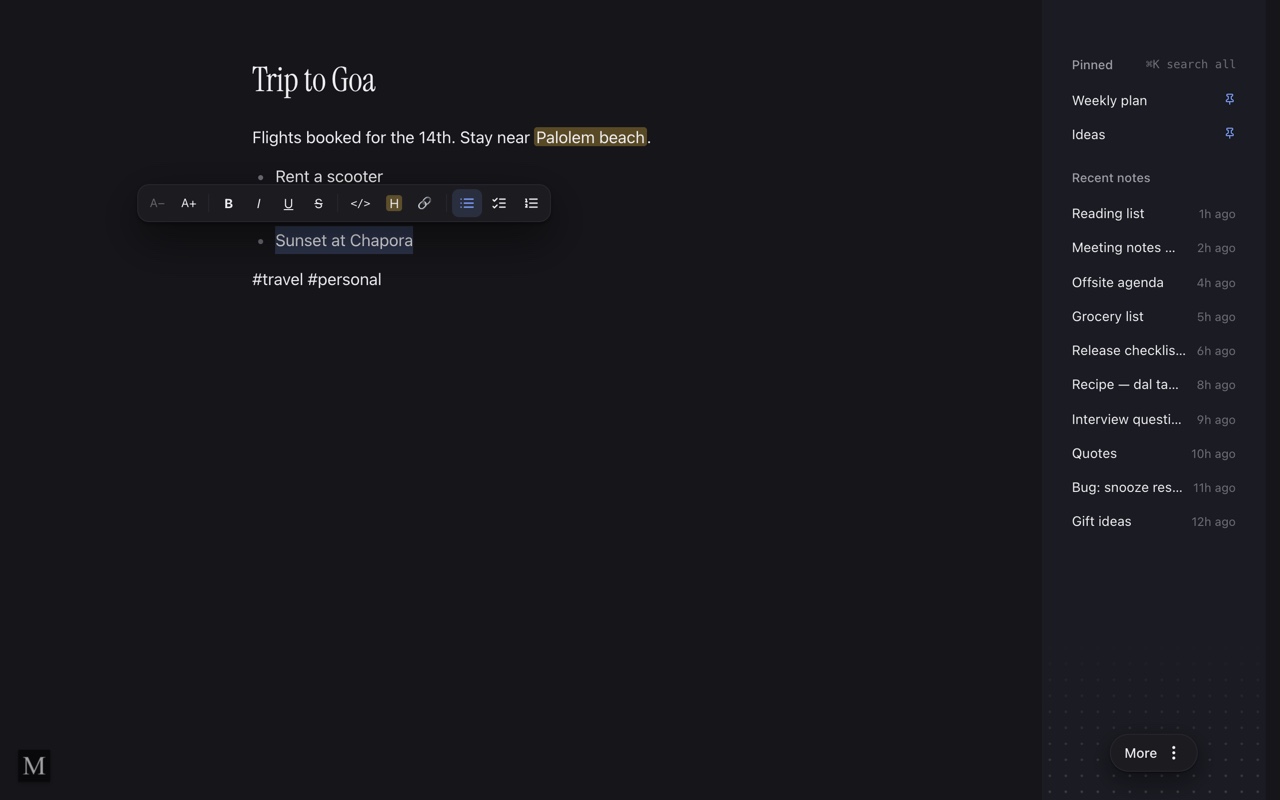
Write rich-text notes with lists, checklists, highlights and links. Add a #tag anywhere to group them, and pin the ones you keep coming back to.

An open note called Trip to Goa with the formatting toolbar, beside a list of pinned and recent notes.

Search

Find anything with ⌘K.

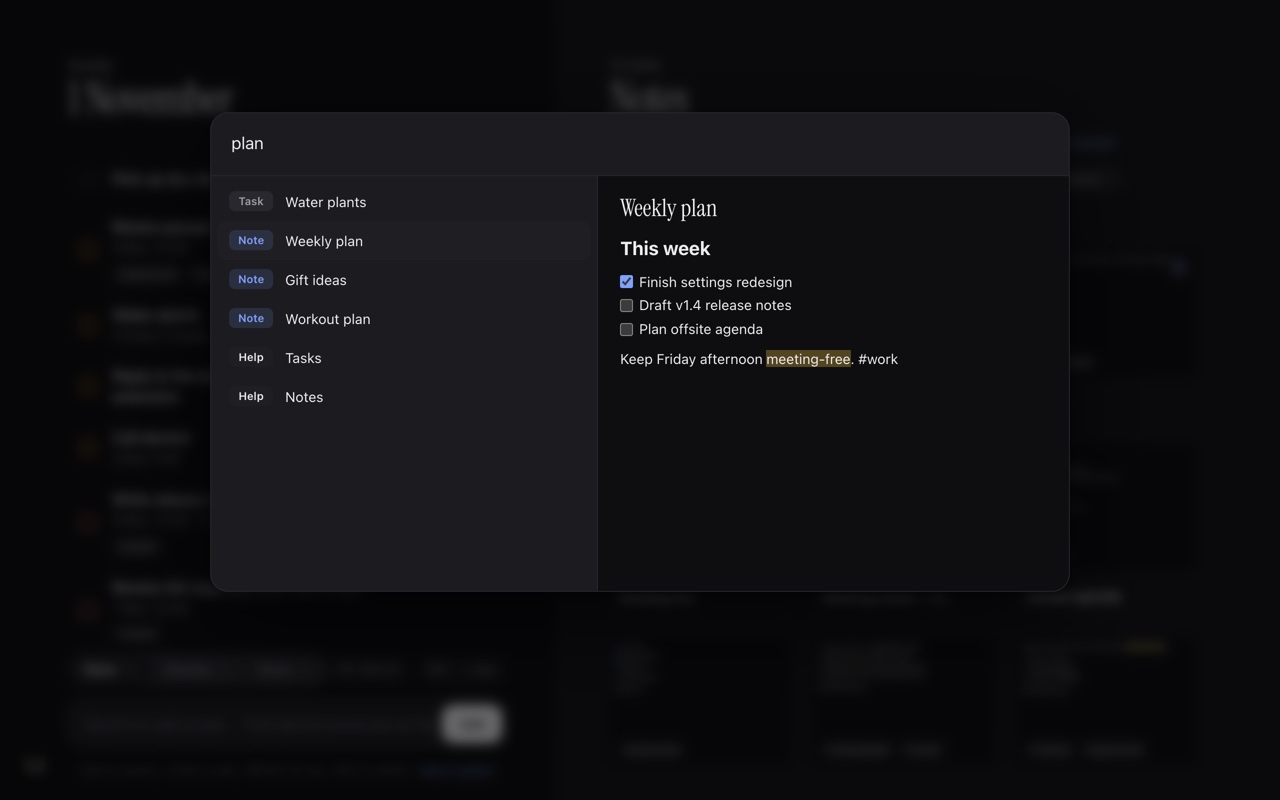
One search covers your tasks and notes, with a preview of each result, so you can jump straight to what you need.

The search palette showing tasks and notes that match the word plan, with a preview of a note called Weekly plan.

Activity log

A quiet log of your day.

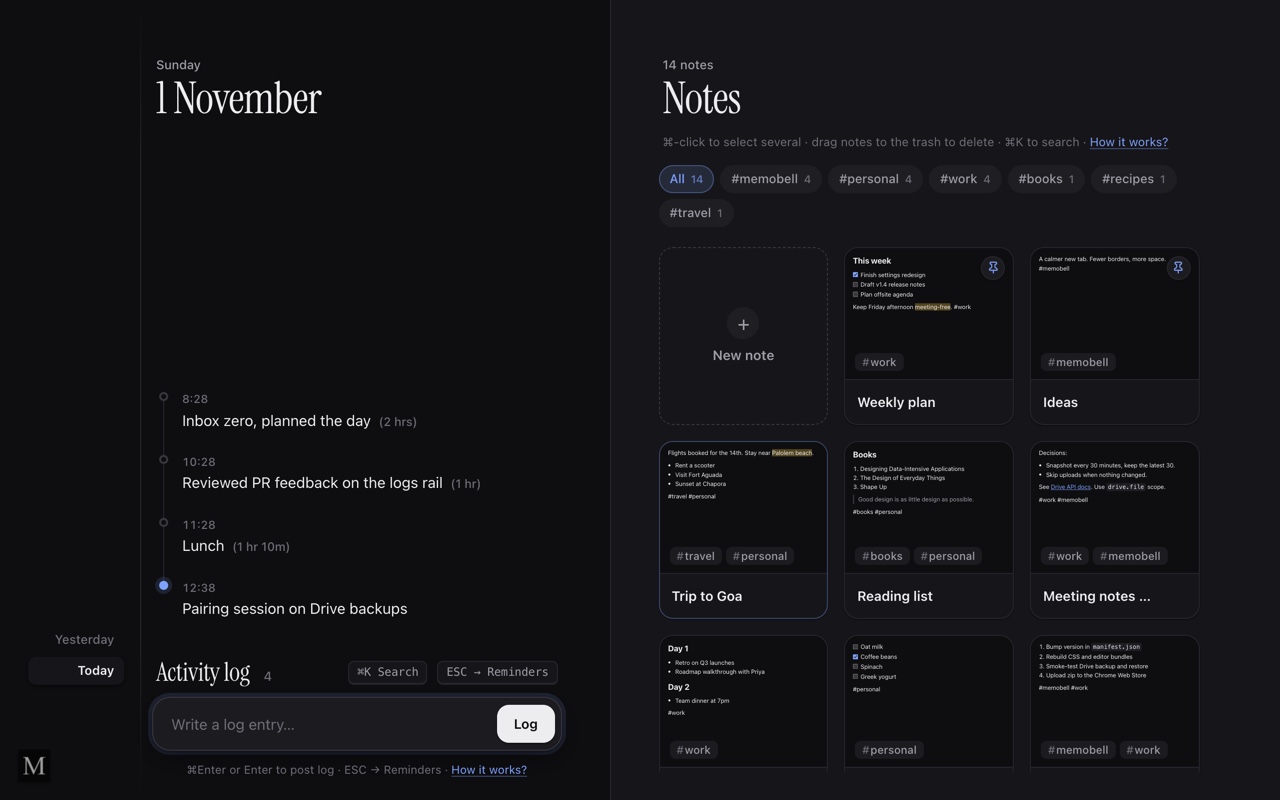
Jot down what you worked on as you go. MemoBell keeps it in a simple timeline, one day at a time.

Today's activity log, a timeline of entries with times and durations.

Privacy

Your data stays yours.

A to-do list can say a lot about your life. MemoBell keeps it on your device, and the privacy policy explains exactly how. Use is covered by the terms of service.

Stored in your browser
Tasks, notes and your activity log live on your device. We have no servers for MemoBell and never receive them.
No account
Install it and start typing. There's nothing to sign up for.
Backups you control
Turn on Google Drive backup if you want it. Copies go to a folder in your own Drive, and you can restore any of them.
No ads or tracking
MemoBell has no analytics, and we don't sell your data.

FAQ

Questions, answered.

Anything else? [email protected]

Do I need an account?

No. MemoBell works as soon as it's installed. You only sign in to Google if you choose to turn on Drive backup.

Where is my data stored?

In your browser, on your device. If you turn on Drive backup, copies are also saved in your own Google Drive. They never pass through our servers.

What happens to my data if I uninstall it?

Uninstalling removes MemoBell's data from your browser. Any Drive backups stay in your Drive until you delete them.

Which browsers does it work in?

MemoBell is built for Chrome.

Make every new tab a little quieter.

MemoBell is on its way to the Chrome Web Store. Email us and we'll let you know when it's ready to install.